

1
Open Instagram App
Open Instagram App and choose the video post that you want to download
Download any public post videos or reels without any app or extension
Follow below three steps to save your video for offline usage
Open Instagram App and choose the video post that you want to download
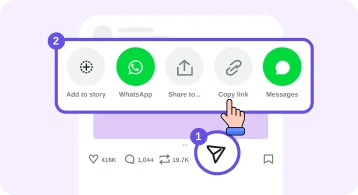
Click on Share and then from dialog click on Copy link.
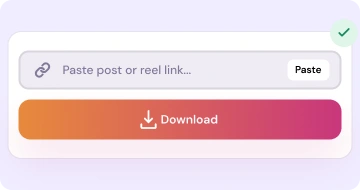
Open our Website and paste the link or click on paste button and click on Download button

Open Instagram on browser and open the video post that you want to download
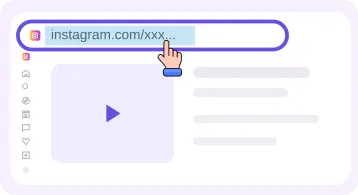
Click on Share and there choose the Copy link or just copy the URL from the browser addressbar that contains the /p/
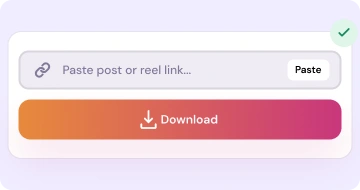
Open our Website and paste the link or click on paste button and click on Download button
How this tool work and where and when you can use and what the process all things explain here
If you are watching a public post of video type or any reel then in this Instagram Video Downloader tool there you can paste that post URL or link into the above box and just click on download. It show a preview of that video. You verify it by double checking and then watch it online and also you can download it for offline watching. Check-out our Insta video downloader home page there you will use all tools at a single page.
People use for saving offline videos and pictures for making there data backup file of there data, for presentations and also for offline hunting when they are editing etc the videos when you not have internet connection. Before using any video make sure that you have the necessary right from that owner of that video and also followup the instagram rules and there privacy. If you want to download the post that has multiple images then use our carousels images download tool and to get only the audio of a video then you can use our audio downloader tool by that you can get the audio of the given video or reel link.
If your link is puerely the reel link then by direct going to the reel downloader tool and there you can download that reel. Just make sure that reel is not private or unlisted. It should be publically available. Check it out our terms and FAQ for more details
You not needed any apk to download, or any extension or no need of any login signup. Our tool is fully free and unlimited you can download without dowing any extra step. Just paste the link and check the preview and click on the button and the download will be started. That's all. Simple and straight-forward.
You can use our website or any desktop, mobile or laptop browser. Make sure that you have the latest browser. And open our website and use it without going to any other place.
If the tool say that invalid link just double check that you paste the correct url and you not added any space in that url by mistake and the link should be publically available. And also you can checkout our blog page where you will see our all article posts. And for any question answer just go to our faq page and still if you have issue then contact us and we will guide you about your issue.
About this tool we clear your doubt about below answers. For further you can also checkout our main FAQ page.
Any public post that is accessible without login and also there is no age restriction and it is not private or the unlisted video. That video link it will work auto.
All - You can use it on any mobile, desktop, laptop there open this website into the browser and you can use it. No any condition or restrictions.
Yes - Ofcourse with our audio downloader tool there you will paste your video link and download the audio of that video in mp3 format.
Same IRD Downloader engine — pick the card that matches what you want to save.
Download Reels in MP4 without watermarks for offline watching
Open tool →Download feed short and long videos from public posts
Open tool →Download single images and multi images posts in HD quality
Open tool →Download a public account profile picture
Open tool →Browse a profile and download public posts and reels
Open tool →Convert reels and videos post to audio mp3 for offline hear
Open tool →