

1
Open Instagram App
Open Instagram App and open the profile that you want to download the DP
Get someone’s public profile picture to download for personal use
Save a public profile picture and use it for personal purpose only.
Open Instagram App and open the profile that you want to download the DP
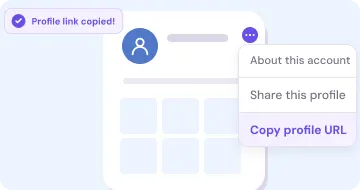
On profile page click on the Copy profile URL from the option menu or just pick the username
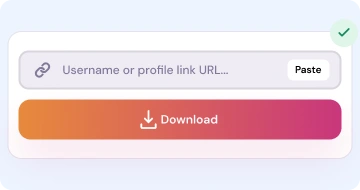
Open our Website and paste the link or click on paste button and click on Download button
Open Instagram on browser and open the profile that you want to download the DP
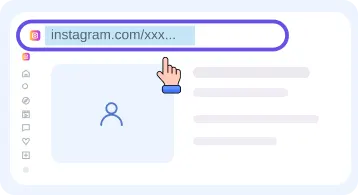
Copy the URL from the addressbar or just pick the username only
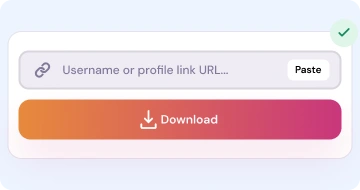
Open our Website and paste the link or click on paste button and click on Download button
How this tool work and where and when you can use and what the process all things explain here below.
You will just enter the insta username or paste the profile URL link. and you will see that if that person profile is exist. Then you can download it's profile picture.
It will show you the image. And with download button also. If that image is upload in large size. Then we show the two button to download.
People use this tool when they need any company logo even the company employee worker etc they can use it to download the logo profile and use it in there documents or where they want. For printing personal stack, make the brand accounts to use it on other social media platform so use it if you have the right of it. Use it for commercial or for your personal work or to clone it is prohibited see our terms and privacy pages.
This is the mini version of insta profile downloader. As here only you will see the DP. while there you will see the public posts and reels. You can go to the home page and there we listed all tools at single page.
For a private or deleted account pictures it will be not show and also it not provided by the instagram. So that's ofcourse you will not get the results. For any public profile you will get the data always if you put the link or username correctly.
The image format of images are provided by instagram. We not self upscale the thumbnail. Always use it for ther personal use. For any question concert then contact us and we will reply you within 24 hours.
For any doubt see our questions reply and also for about others see our Full FAQ page.
An image of a profile which is provided by self instagram. It is not scalable from any thumbnail by us.
If instagram provide then we show if it not provide then we will not show ofcourse.
Yes - Ofcourse you can see the DP in full screen. And then you can download if you feel that it is in good quality
Same IRD Downloader engine — pick the card that matches what you want to save.
Download Reels in MP4 without watermarks for offline watching
Open tool →Download feed short and long videos from public posts
Open tool →Download single images and multi images posts in HD quality
Open tool →Download a public account profile picture
Open tool →Browse a profile and download public posts and reels
Open tool →Convert reels and videos post to audio mp3 for offline hear
Open tool →