

1
Open Instagram App
Open Instagram App and open the profile that you want to download
Download any profile data without any app or extension for offline usage
Follow below three steps to save the profile data for offline watching purpose
Open Instagram App and open the profile that you want to download
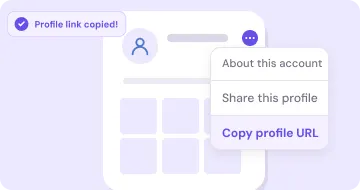
On profile page click on the Copy profile URL from the option menu or just pick the username
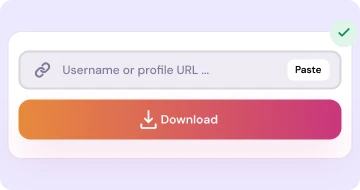
Open our Website and paste the link or click on paste button and click on Download button

Open Instagram on browser and open the profile that you want to download

Copy the URL from the addressbar or just pick the username only
Open our Website and paste the link or click on paste button and click on Download button
How it works, when to use it, and what we get from using this tool is explain below.
This tool is the backbone of our IRD Downloader website. Here with our Instant Reels Downloader website and there by using this Instagram Profile Downloader tool there you will just put any person profile link or username only. That's all. It will show the all data of his proifle the profile avatar, reels, posts each and every thing. If data is much then just scroll down there and it will load more data until the all data is finish. Any data you can download it as FREE and unlimited download without any limitation. By this tool you can get the idea that how we are different from our competitors that why not provide such level of all data.
And all main benefit of this Insta Profile Downloader tool is that you need to worries about the data backup. At anytime when you have time then you can download your public posts and reels. You not need to use the DP and Reels tools as separate use if you want the data for a specific profile.
Private profile or deleted profiles it has limitation ofcourse. For that you can't download data. For any doubt or question see our FAQ to readout our all answers.
You can first see all data, the pictures you can see in full screen. The videos you can watch first in full screen and then you can decide that which reel videos you need to download. So first see, then like it and then download it.
With the load-more feature button you will see the new data at top. And then below old data. scroll it down until you can reach at first post of the creator. If at anystep it stuck then try again. And if any other error you face then contact us with our form and send your username of that profile and we will figure-out the issue and we will sortout the issue.
Quick answers for this tool. More questions on the full FAQ page.
It's a helper for to check your personal data to download which one you want. For to download all profile data with once as archive product that instagram not provide such feature but with your support we will solve that issue also in future.
Yes you will see all the posts and reels, Also you can see that how many posts it has and how many followers and following.
Instagram sometime apply rate-limit or may b you reach at the end. So retry it after some time with already loaded then your issue will be resolved.
Same IRD Downloader engine — pick the card that matches what you want to save.
Download Reels in MP4 without watermarks for offline watching
Open tool →Download feed short and long videos from public posts
Open tool →Download single images and multi images posts in HD quality
Open tool →Download a public account profile picture
Open tool →Browse a profile and download public posts and reels
Open tool →Convert reels and videos post to audio mp3 for offline hear
Open tool →